
Domain
Configure the domain used to serve the editor to End Users.
The Domain page configures the domain used to open the editor for one Application.
This is the editor access domain used in iframe src URLs or new-window launch URLs. It is separate from the API base URL.
Domain options
| Option | Description | Best for |
|---|---|---|
| Default domain | Uses the AuroraSendCloud-hosted editor domain. | Testing and fast setup. |
| Custom subdomain | Uses a subdomain that you own, configured with CNAME. | Most branded product embeds. |
| Custom domain with SSL | Uses your own domain and SSL configuration. | Enterprise or strict white-label requirements. |
Default domain
The default domain works without DNS configuration.
Use it when you are testing or when your users do not need to see a branded editor domain.
Custom subdomain
Use a custom subdomain when you want users to see your own domain in editor URLs.
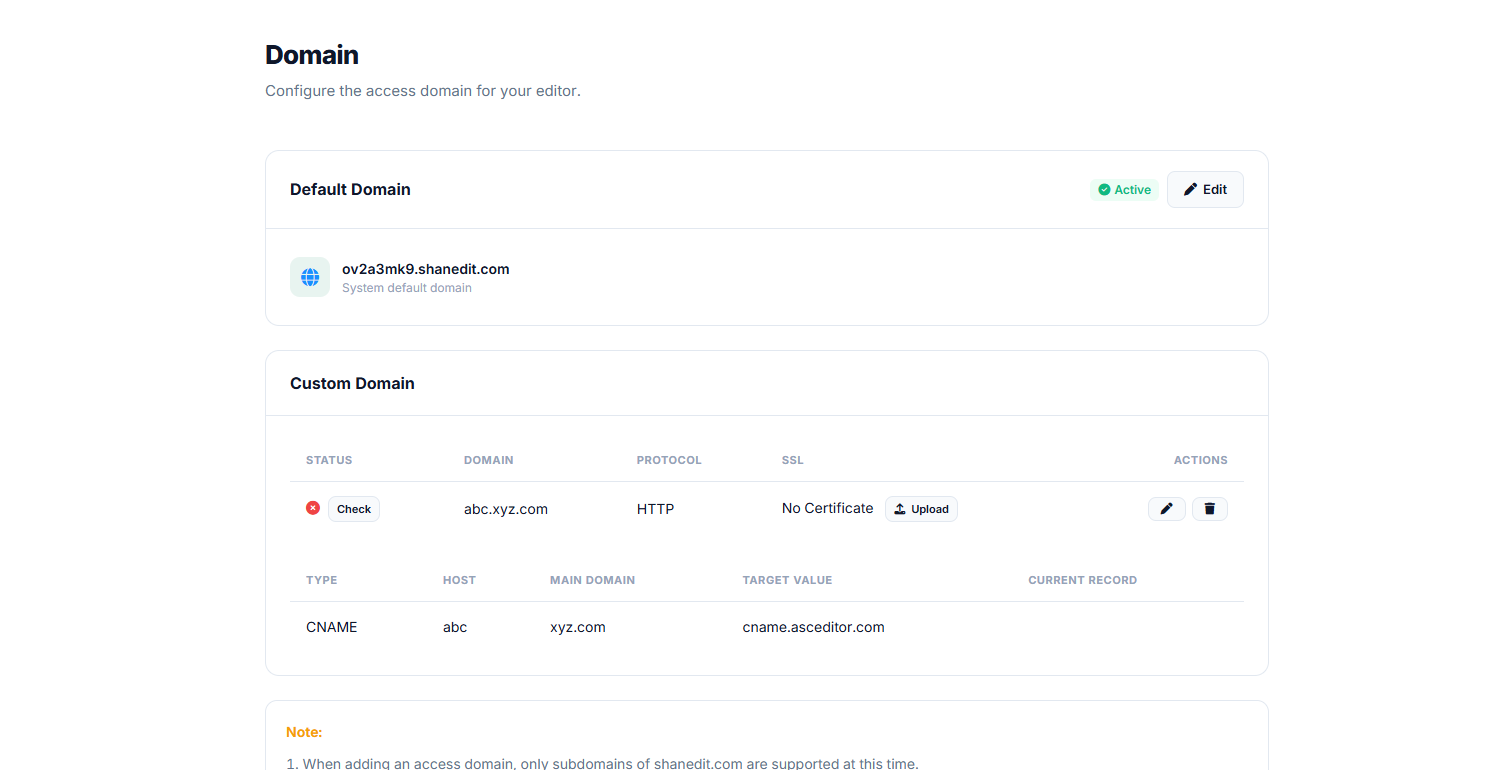
Example:
editor.yourcompany.comTypical setup:
- Create a CNAME record in your DNS provider.
- Point the subdomain to the editor domain target shown in the Domain page.
- Enter the subdomain in ASC Editor Plugin.
- Verify the domain.
- Wait for the domain status to become active.
Example DNS record:
editor.yourcompany.com CNAME editor.aurorasendcloud.comSSL
Editor access must use HTTPS.
Depending on your domain option, SSL may be provisioned automatically or require certificate configuration.
If SSL certificate upload is required, upload a valid certificate that matches the configured domain.
Verification
After adding the DNS record, click Verify.
Verification checks whether:
- The CNAME record exists.
- The record points to the expected target.
- The domain can be served over HTTPS.
- The SSL certificate is valid, if a certificate is required.
DNS propagation can take time. If verification fails immediately after adding the record, wait and try again.
Changing a domain
You can change the active editor domain for an Application.
After changing it:
- Update any hardcoded editor launch URLs in your product.
- Test iframe and new-window launch flows.
- Confirm the Push URL still receives saved content correctly.
Notes
- Domain settings apply to one Application.
- API calls still use the API base URL:
https://api.aurorasendcloud.com/editor-plugin/. - Only configure domains that your team owns or controls.
Updated 4 months ago