
Start an Email
This page explains the first screen End Users see after your product opens the Editor plugin.
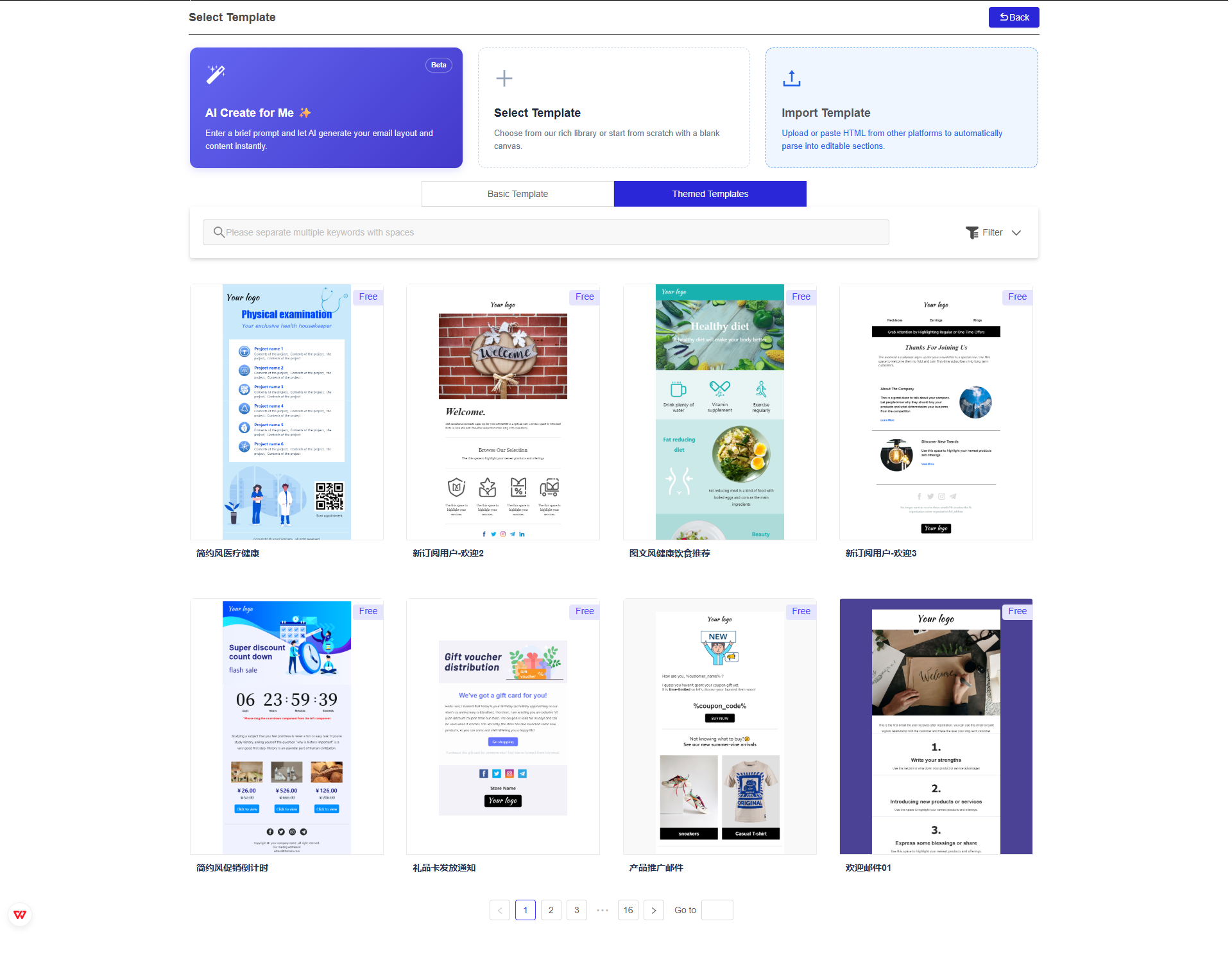
End Users can start an email in three ways:
| Option | What it does | Best for |
|---|---|---|
| AI Create for Me | Generates an email draft from a short prompt. | Starting quickly when the user has an idea but no layout yet. |
| Select Template | Opens the template library so the user can choose an existing design. | Starting from a known structure or campaign type. |
| Import Template | Imports an existing HTML template and converts it into editable content when possible. | Migrating templates from another tool or reusing existing assets. |
AI Create for Me
AI Create for Me helps users create an initial email draft from a prompt.
The user provides a short instruction, and the Editor plugin generates email content and layout as a starting point. The user can then edit the result in the editor workspace.
AI availability may depend on your plan, Application settings, and the End User's available AI credits.
Select Template
Select Template opens the template library.
Users can browse template cards, search by keyword, filter the library, and switch between template categories such as:
- Basic templates
- Themed templates
After the user selects a template, the editor opens the template as an editable email record.
Import Template
Import Template lets users bring in existing HTML from another platform.
The Editor plugin attempts to parse the imported content into editable sections. Imported templates may require manual cleanup because not every HTML structure maps perfectly to drag-and-drop editor blocks.
Use this path when your users already have email designs and want to move them into the Editor plugin.
What Integrators Should Know
This start screen is part of the Editor plugin experience. Your frontend only needs to open the editor URL prepared by your backend.
The selected start method does not change the integration flow:
- Your backend creates or refreshes the Access token.
- Your backend creates or selects an email record.
- Your backend generates a one-time code.
- Your frontend opens the editor URL.
- The End User starts from AI, a template, or imported content.
- Saved content is returned to your backend through the Push URL callback.
Template availability, import behavior, AI features, and paid capabilities may vary by plan and Application configuration.
Training Notes
When training End Users, explain the three start paths like this:
- Use AI Create for Me when you want a fast first draft.
- Use Select Template when you want to start from a designed layout.
- Use Import Template when you already have HTML from another email tool.
Users can still edit content, layout, styles, and settings after choosing any start method.
Updated 3 months ago